
Elite Stream IPTV Setup Guide —
Any Device in Minutes
Follow our step-by-step Elite Stream IPTV setup guide to install IPTV on Fire Stick, Smart TV, Android, iOS, Windows or Mac. Start your 4K IPTV streaming experience in under 5 minutes — no technical skills needed.

The Easiest Setup for 4K Streaming
Setting up Elite Stream IPTV is simpler than any cable or satellite installation. No engineer visits, no dish, no long contracts — just download a free IPTV app, enter your credentials, and your 4K IPTV streams are live in minutes.
Whether you're on a Fire Stick, Smart TV, Android, or iPhone, this Elite Stream IPTV setup guide walks you through every step with screenshots and tips.
- ✓Works on all major devices — Fire Stick, Smart TV, Android, iOS, PC, Mac
- ✓Free IPTV apps — TiviMate, IPTV Smarters Pro, GSE Smart IPTV
- ✓HD, 4K IPTV and 8K quality available from day one
- ✓24/7 WhatsApp support if you need help with setup
What You Need Before Setup
Before starting your Elite Stream IPTV setup, make sure you have the following ready. You will be watching in minutes.
For HD IPTV streaming you need 10 Mbps minimum. For 4K IPTV quality, aim for 25 Mbps or more. For 8K IPTV, 50 Mbps is recommended.
Don't have a subscription yet? View Elite Stream IPTV plans from $14.99/month and get your credentials instantly via WhatsApp.
Active Elite Stream IPTV Subscription
Purchase a plan and receive your login credentials instantly via WhatsApp.
Stable Internet
Min 10 Mbps for HD. 25 Mbps for 4K IPTV. Wired Ethernet recommended.
Compatible Device
Fire Stick, Smart TV, Android, iOS, Windows, Mac or MAG Box.
Login Credentials
Server URL, Username and Password sent via WhatsApp after payment.
IPTV Player App
TiviMate, IPTV Smarters Pro, or GSE Smart IPTV — all free to download.
WhatsApp Support
Our team is available 24/7 on WhatsApp if you need help during setup.
Choose Your Device
Select your device below for the exact step-by-step Elite Stream IPTV installation instructions.
Setup on Fire Stick
Install IPTV on your Amazon Fire Stick using Downloader and IPTV Smarters Pro. Full 4K IPTV quality in under 5 minutes. For model checks, Developer Options help and 4K settings, read the full Fire Stick guide.
📲 Recommended App: IPTV Smarters ProEnable Apps from Unknown Sources
Go to Settings → My Fire TV → Developer Options → Enable Apps from Unknown Sources.
Install the Downloader App
Go to the Fire Stick search bar and type Downloader. Install the free Downloader app by AFTVnews.
Install IPTV Smarters Pro
Install IPTV Smarters Pro from the Amazon Appstore if it is listed. If not, enter the player's official download address in Downloader — our WhatsApp support can send you a working link. See the full Fire Stick guide.
Add Your Elite Stream IPTV Account
Open IPTV Smarters Pro → tap Add New User → select Login with Xtream Codes API.
Enter Your Elite IPTV Credentials
Enter the Server URL, Username, and Password from your Elite Stream IPTV activation message. Tap Add User.
Start Streaming in 4K IPTV Quality 🎉
Channels load in ~30 seconds. Browse Live TV, VOD, and Sports. Enjoy 40,000+ channels in 4K IPTV quality on your Fire Stick!
Setup on Android
Install IPTV directly from the Google Play Store on any Android phone, tablet, or TV box.
📲 Recommended App: TiviMate or IPTV Smarters ProOpen Google Play Store
On your Android device open the Google Play Store app.
Search & Install the App
Search for IPTV Smarters Pro or TiviMate. Tap Install. Both apps are free.
Open the App & Add Account
Launch the app → tap Add New User → choose Xtream Codes API login method.
Enter Your Elite IPTV Credentials
Input your Server URL, Username, and Password from your Elite Stream IPTV activation message.
Load Channels & Enjoy
Tap Add User. Channels load in under 1 minute. Browse Live TV, VOD, and Sports in HD and 4K IPTV quality.
Setup on Smart TV
Install IPTV on Samsung or LG Smart TV using the built-in app store. 4K IPTV quality on your big screen.
📲 Recommended App: Smart IPTV or IPTV SmartersOpen Your TV App Store
Samsung: press Home → Apps → Search. LG: press Home → LG Content Store → Search.
Search for IPTV App
Search for Smart IPTV or IPTV Smarters Pro and install.
Launch the App
Open the app and note the MAC Address displayed — needed for activation on Smart IPTV.
Enter Your Elite IPTV M3U or Xtream Codes
In Settings enter your Elite Stream IPTV M3U URL or Xtream Codes from your activation message.
Restart & Start Watching
Restart the app. All 40,000+ IPTV channels appear in the menu in HD & 4K IPTV quality.
Setup on iPhone & iPad
Install IPTV on your iPhone or iPad in minutes via the App Store.
📲 Recommended App: IPTV Smarters Pro or GSE Smart IPTVOpen the App Store
On your iPhone or iPad, open the App Store and tap the Search tab.
Search & Install the App
Search for IPTV Smarters Pro or GSE Smart IPTV. Tap Get to install.
Add Your Elite IPTV Playlist
Open the app → tap Add New User → select Xtream Codes API or M3U URL.
Enter Your Credentials
Enter the Server URL, Username, and Password from your Elite Stream IPTV activation message.
Start Streaming
Tap Add and wait for channels to load. Enjoy live TV, movies, and sports on your iPhone or iPad.
Setup on Windows PC
Watch IPTV on your Windows computer using IPTV Smarters Pro or VLC Media Player.
📲 Recommended App: IPTV Smarters Pro or VLCDownload IPTV Smarters Pro
Search the Microsoft Store for IPTV Smarters Pro. Download and install.
Launch & Add New User
Open IPTV Smarters Pro → click Add New User → select Login with Xtream Codes API.
Enter Your Elite IPTV Details
Fill in your Server URL, Username, and Password. Click Add User.
Alternative: Use VLC Player
Open VLC → Media → Open Network Stream → paste your M3U URL. Press Play.
Browse & Stream in 4K IPTV Quality
All channels, VOD, and series load in the app. Stream in HD and 4K IPTV on your PC screen.
Setup on Mac
Set up IPTV on your Mac using IPTV Smarters or the free VLC player.
📲 Recommended App: IPTV Smarters Pro or VLC for MacDownload VLC for Mac
Visit videolan.org and download VLC Media Player for macOS. Completely free.
Open Network Stream
Open VLC → File → Open Network → paste your Elite Stream IPTV M3U URL.
Click Open / Play
Press Open. Your IPTV channel list loads within seconds.
Optional: IPTV Smarters on Mac
Search IPTV Smarters Pro in the Mac App Store. Install, add your Elite Stream IPTV Xtream Codes credentials and enjoy.
Start Streaming in 4K IPTV 🎉
Browse 40,000+ live channels and 180,000+ on-demand titles in HD and 4K IPTV quality on your Mac.
4K IPTV Setup — Stream in Ultra HD
Once your Elite Stream IPTV setup is complete, you can immediately access 4K IPTV quality on any compatible screen. Our IPTV servers are optimized specifically for HD, 4K IPTV, and 8K streaming — delivering the sharpest picture available.
For the best 4K IPTV experience, connect via Ethernet cable and ensure your device supports 4K output. All Elite Stream IPTV plans from the 6-month package onwards include full 4K IPTV and 8K IPTV quality.
Need Setup Help? WhatsApp Us
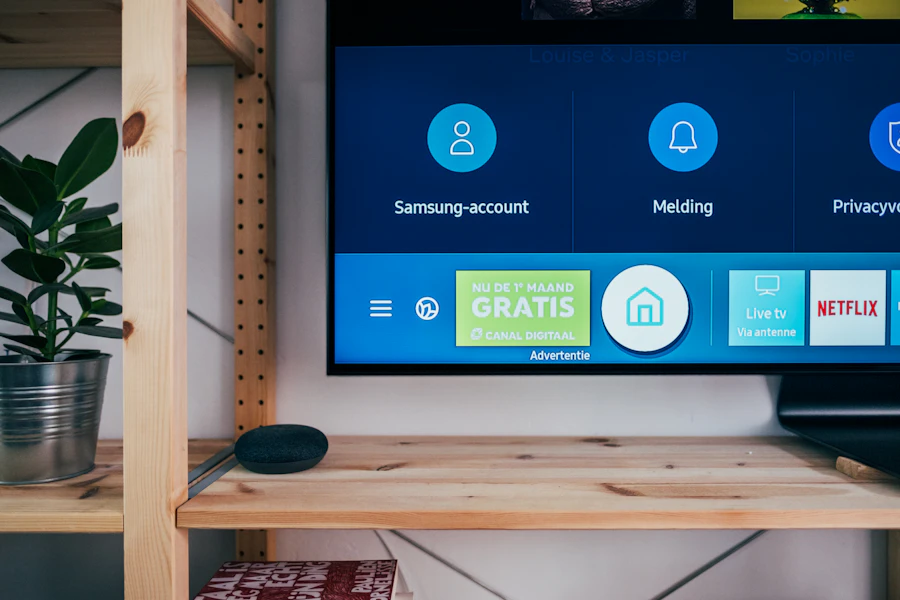
Best IPTV Apps to Use
All of these free apps are fully compatible with your Elite Stream IPTV subscription for both Xtream Codes and M3U 4K IPTV streaming.
TiviMate
The most popular IPTV player with a beautiful TV guide interface and EPG support for 4K IPTV.
IPTV Smarters Pro
Full-featured IPTV player supporting Xtream Codes and M3U on all platforms for IPTV setup.
GSE Smart IPTV
Excellent for iOS IPTV setup with strong M3U support and a clean easy-to-use interface.
VLC Media Player
Free and universal. Open your M3U playlist URL directly in VLC for instant 4K IPTV streaming.
IPTV Not Working? Common Fixes
Most Elite Stream IPTV setup issues can be solved in under 2 minutes. Here are the most common problems and how to fix them. For the complete checklist, see Elite Stream IPTV not working? 9 fixes.
Buffering or Freezing
Your IPTV stream keeps pausing during playback.
Fix: Check your speed (10+ Mbps for HD, 25+ Mbps for 4K IPTV). Restart your router. Switch to Ethernet. Contact WhatsApp support for a server switch.
No Channels Loading
The app opens but no channels appear after IPTV setup.
Fix: Double-check your Server URL, Username and Password. No spaces. Delete and re-add your account. Contact support if it persists.
Login Error / Wrong Credentials
The app shows an authentication error after IPTV setup.
Fix: Copy-paste credentials from your WhatsApp activation message. Ensure subscription is active. URL must start with http:// or https://.
Black Screen on Channels
Channels load but show only a black screen.
Fix: Switch the decoder in app settings (Hardware or Software). Update your app. Try a different channel to rule out a single stream issue.
No Audio / Sound Issues
4K IPTV video plays but there is no sound.
Fix: Check volume. In IPTV app go to Settings → Player → switch audio track. Toggle audio passthrough off.
App Crashes or Won't Open
The IPTV player app closes immediately on launch.
Fix: Clear app cache in device settings. Reinstall the app. Update your device OS. Try an alternative app like VLC.
Last updated: · Elite Stream IPTV team